Vlora features for pilates and yoga studios
Six parts in one subscription, grouped like the Features menu above: studio operations, then booking and payments.
Studio operations
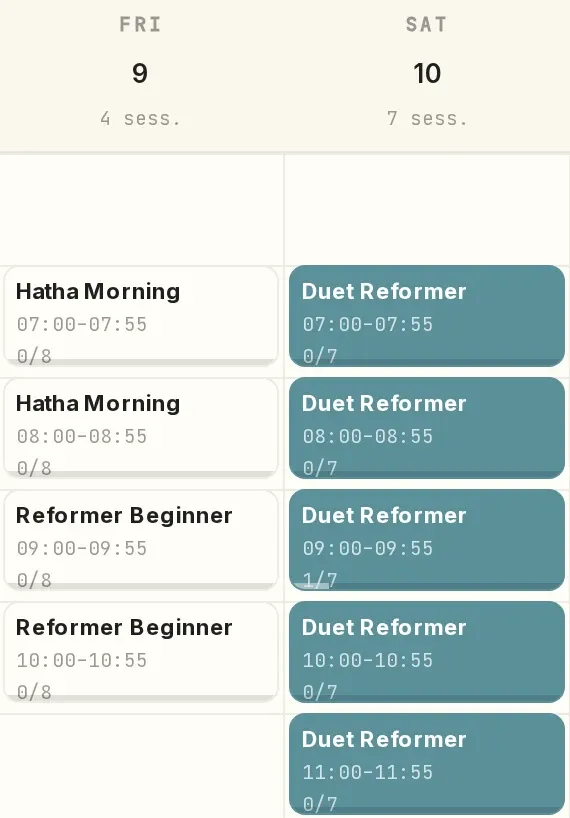
Scheduling & attendance
Recurring schedules are set up once, and attendance is recorded seat by seat.
- Recurring schedules, set up once
- Bookings from the studio page and the front desk
- Seat-by-seat check-in, right in the session
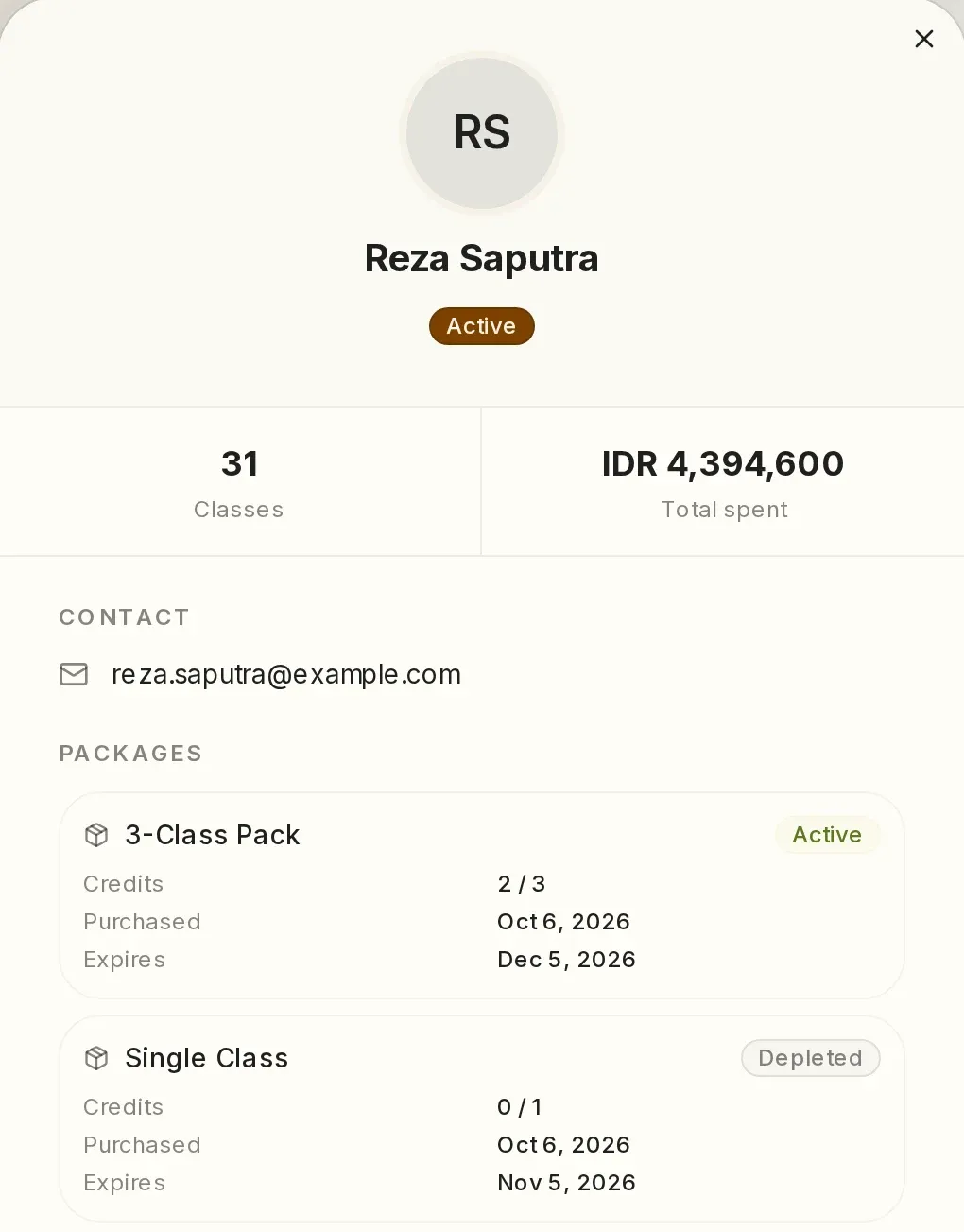
Clients & team
Medical notes on the client profile, and roles that limit what each staff member sees.
- Emergency contact and medical notes in one profile
- A report of clients who have not come in for a while
- The front desk works without seeing revenue
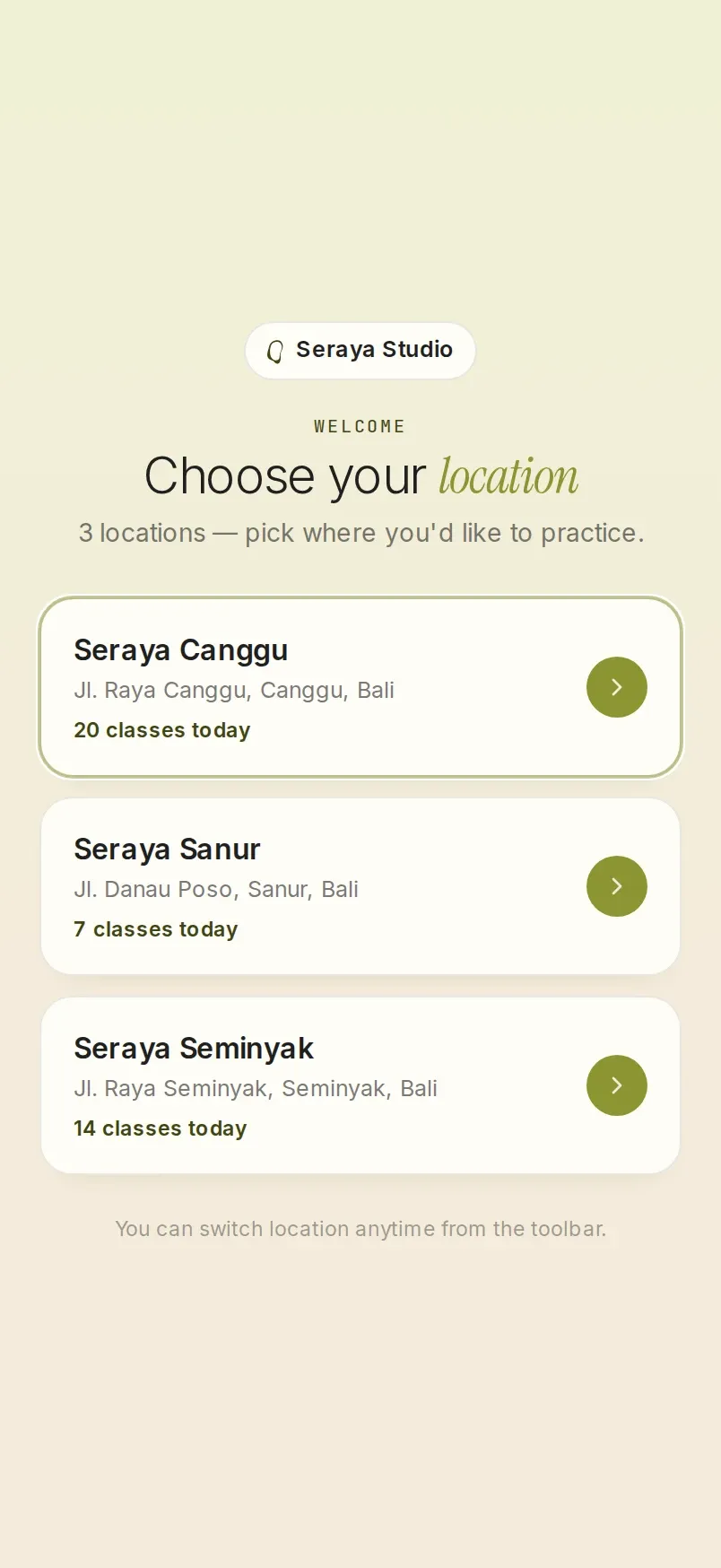
Locations & rooms
The Reformer Room and the Mat Room run side by side, with WIB, WITA or WIT for each branch.
- A schedule with one column per room
- WIB, WITA or WIT for each branch
- Payment accounts and reports by branch
Booking & payments
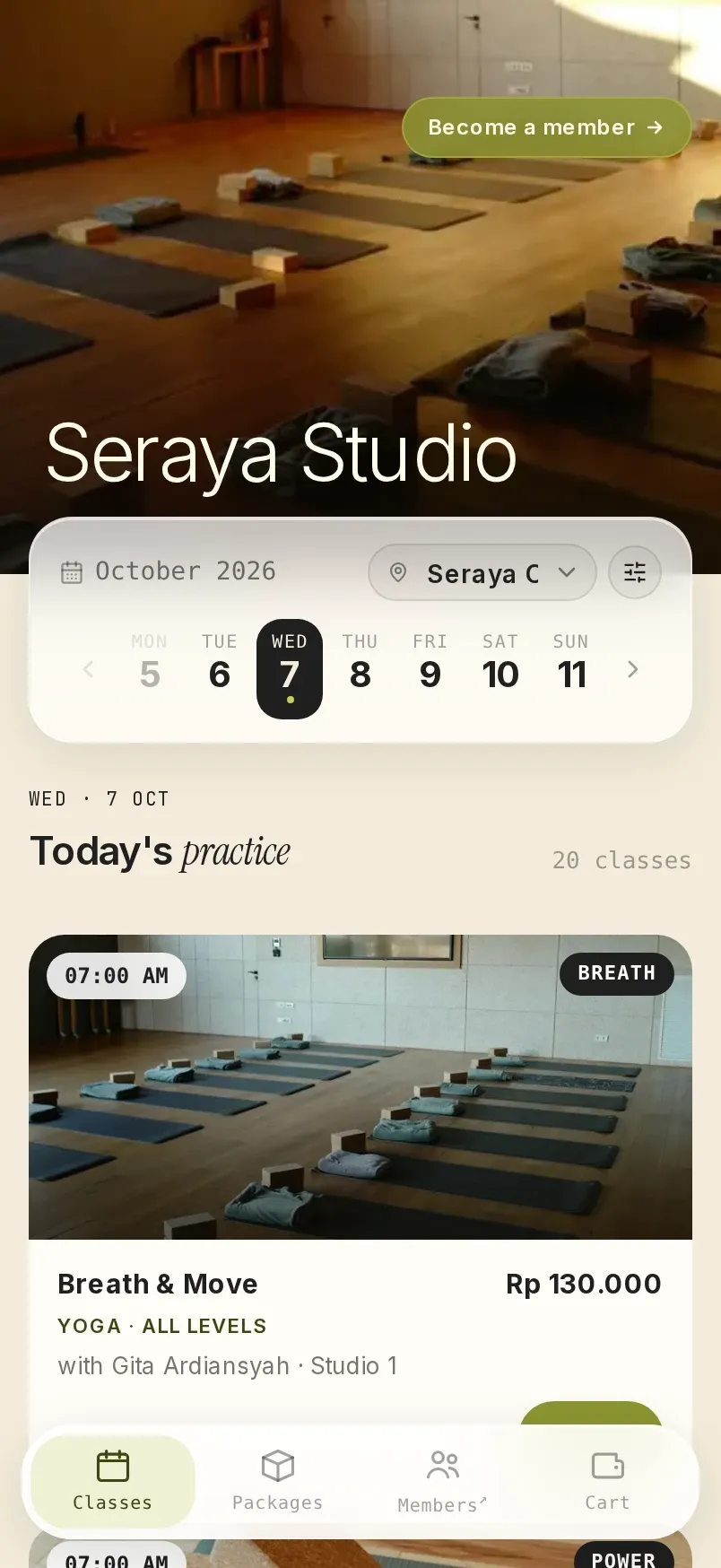
Booking page & member area
Your studio's own address, guest booking and the member area.
- The studio's logo, banner and accent colour
- Guests book without creating an account
- Members reschedule their own classes
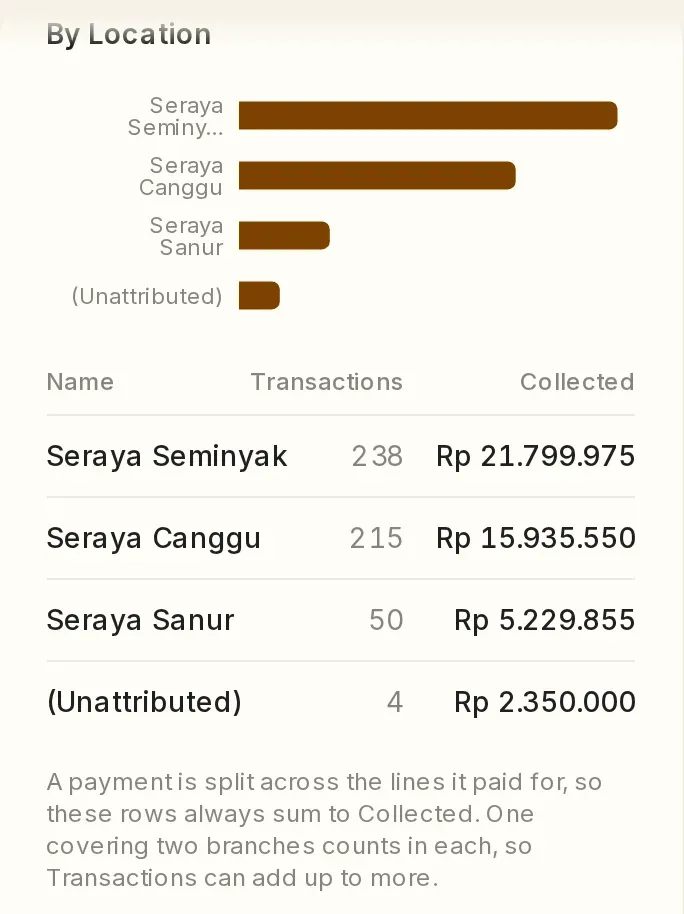
Payments & finance reports
QRIS, Virtual Account, and reports that can be split by branch.
- The seat is held while the client pays
- Online payments go to the studio's own account
- Excel exports with each transaction's reference number
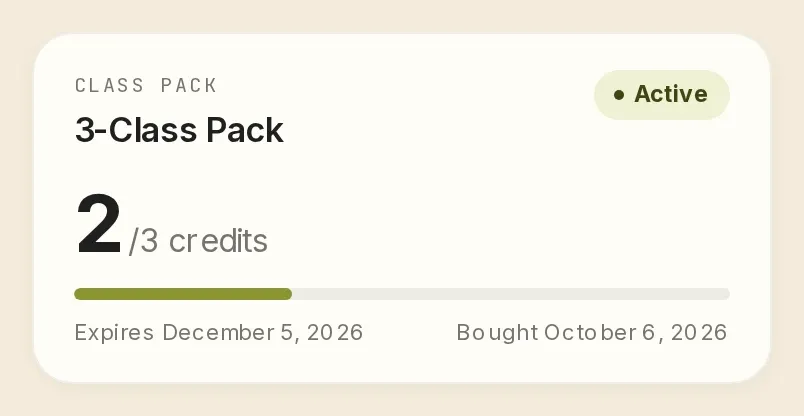
Class packs, memberships & rules
Validity periods, daily class limits, vouchers and reschedule fees.
- Class packs valid from the first class used
- Vouchers limited to certain hours, days or new clients
- Reschedule fees that members pay online
A summary of capabilities.
One line per capability. We'll show you how each one works in the demo, with your studio's rules.
Scheduling & attendance
- Recurring schedules
- Edit many sessions at once
- Week, month and agenda calendars
- Bookings from the front desk
- Seat-by-seat check-in
- Attendance lists exported to Excel
Clients & team
- Client profiles
- Medical notes and emergency contacts
- Walk-in history that carries over
- Clients who have not come in for a while
- Class packs running low
- Staff roles and notifications
Locations & rooms
- Several rooms per location
- Time zones by location
- Prices and photos by location
- Staff and reports by branch
- A choice of locations on the booking page
Booking page & member area
- The studio's own address
- Logo, banner and accent colour
- Filters for time, class type and instructor
- Guest bookings without an account
- The studio's Google Tag Manager
- Member area and calendar sync
Payments & finance reports
- QRIS, Virtual Account, e-wallets and cards
- Seats held during payment
- Pay at the studio
- PDF receipts in the confirmation email
- Finance reports and Excel exports
- Payment accounts by branch
Class packs, memberships & rules
- Class pack validity
- Memberships with a daily limit
- Vouchers
- Reschedule fees
- Cancellation policy
- Group bookings
- Booking questions
What is written here is only part of Vlora.
This page covers what studio owners ask about most. A few features it does not mention yet:
If the feature you are looking for is not on the list, ask on WhatsApp, or see it in Vlora during the demo.
- A crossed-out price beside the class price, per class type or per session.
- Full or partial refunds, recorded in the finance report.
- Receipts, cancellation letters and reschedule letters, generated from the order details.
- Instructor report: how many classes each instructor taught, and how full the classes were.
See Vlora with your studio's own rules.
Tell us about your classes, locations and studio rules on WhatsApp. We'll prepare a 30-minute demo with those rules, at a time you choose.
One subscription fee, every feature, no setup fee. See pricing
Send the message, and we usually reply within one working day.
If you would rather write first, email [email protected] or message us on WhatsApp.