Complete client data, and who on your team can see it.
Contact details, emergency contact, medical notes, remaining class packs and total spend live in one profile. Everyone on the team sees the part that fits their role.
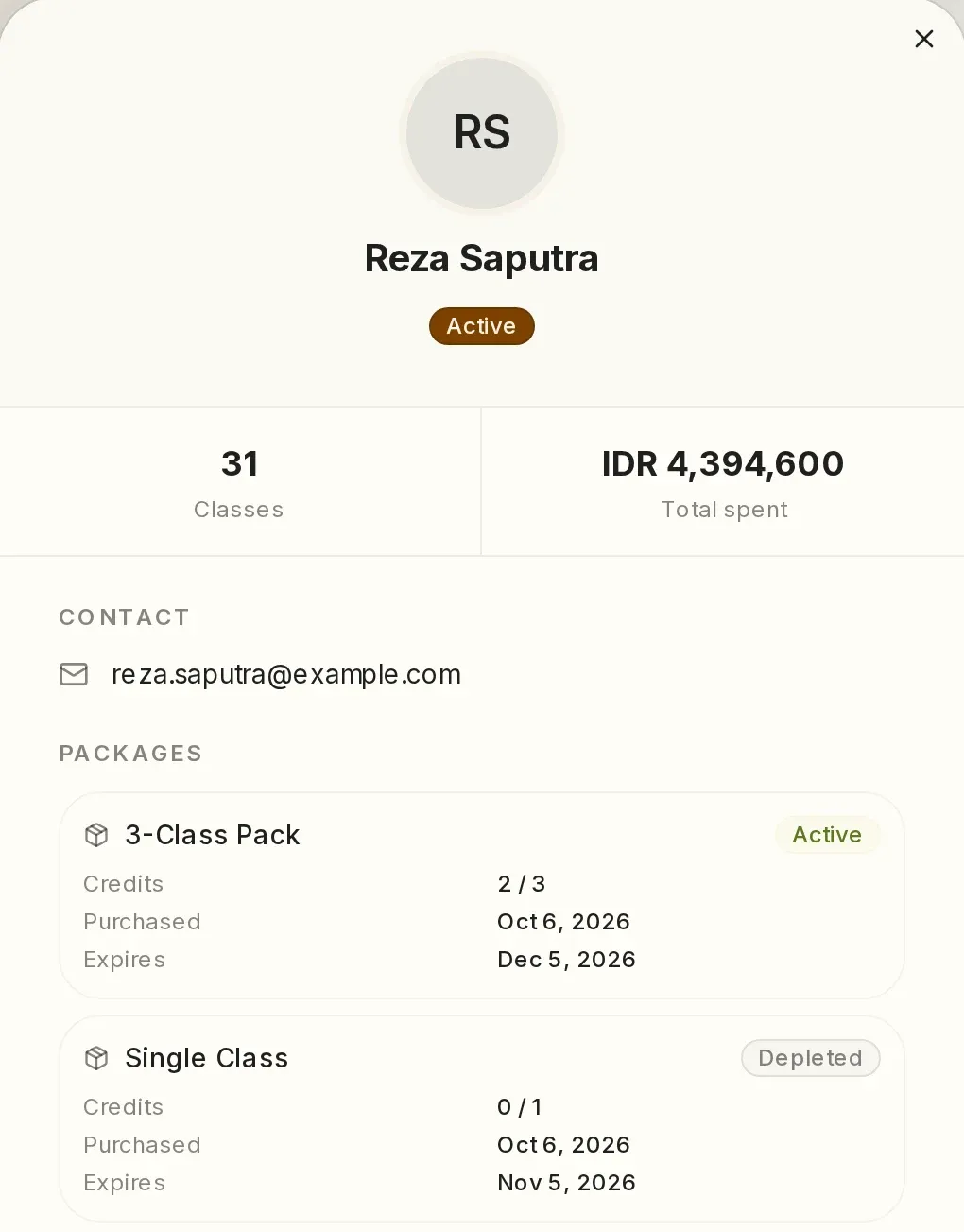
One profile per client, with an emergency contact and medical notes.
Contact details, date of birth, emergency contact, general notes, medical notes, class packs, memberships and total spend are all in the same profile. Staff can sell a class pack straight from that profile.
A walk-in who later creates an account keeps their history.
Once staff confirm it is the same person, the classes they took as a walk-in are linked to their account.
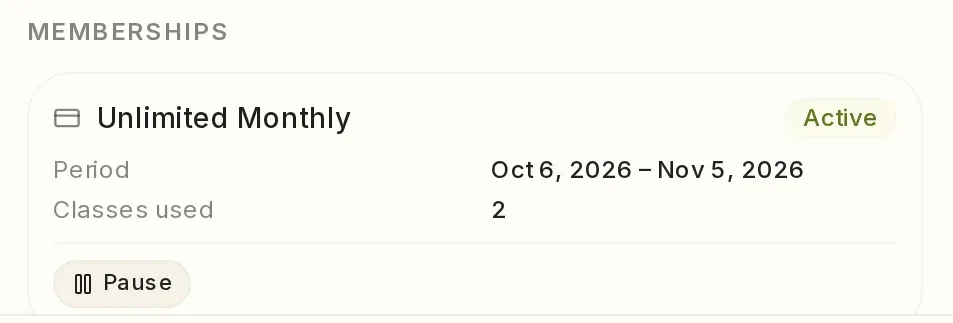
Remaining class packs and memberships show in the profile.
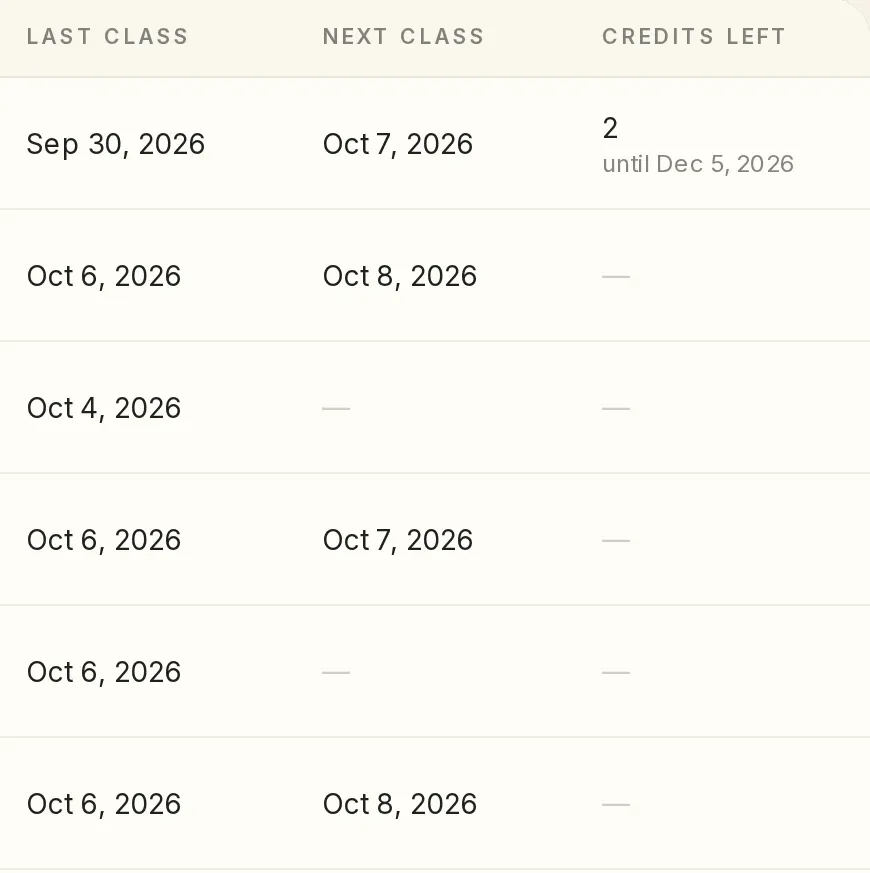
Staff see how many classes are left and when the class pack ends. Class packs and memberships that are nearly used up or about to end are gathered in one list.
Front desk staff take bookings without seeing revenue.
Everyone on the team signs in with their own account, and their role decides which parts of the dashboard they see.
- Front desk
- Makes bookings for registered clients and walk-ins.
- Instructor
- Sees and records their own classes.
- Branch staff
- Sees only their own branch.
- Other roles
- Set up to match how your studio works.
Who has not come in for a while, and what needs checking today.
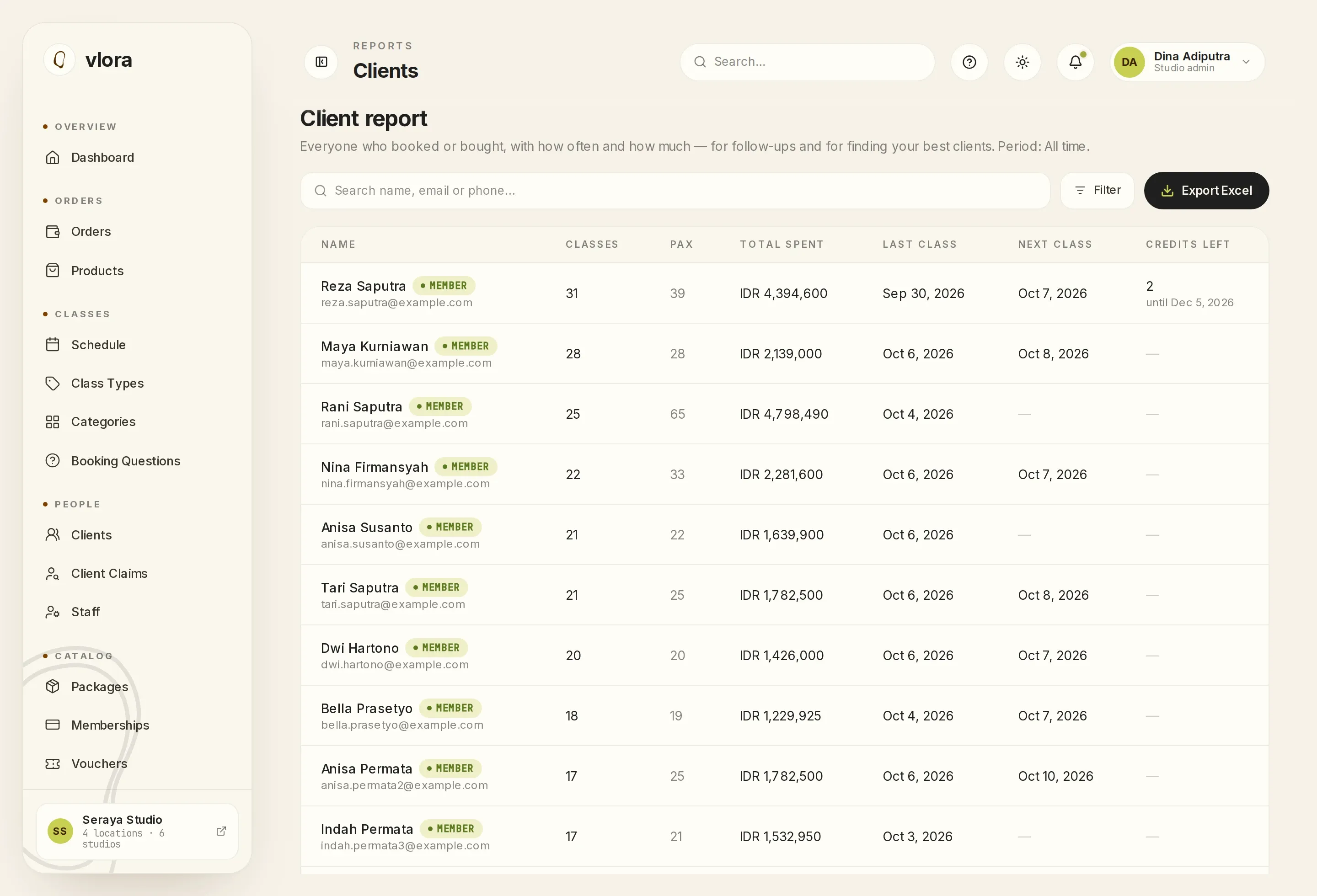
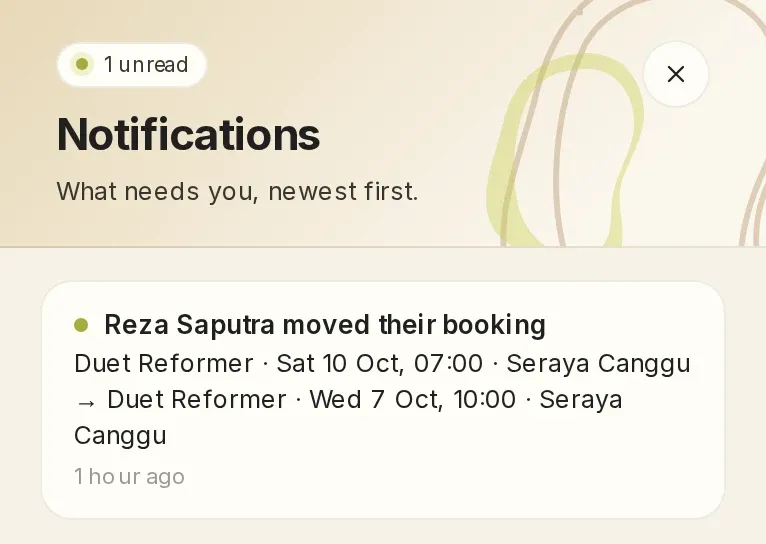
The client report can be sorted by last class, so the clients who have been away longest come first. It shows each client's remaining credits and exports to Excel. New orders, reschedules by members and payments that need checking appear in the notification bell, only for the roles that handle them.
Questions about clients and the team.
Can the front desk work without seeing revenue?
Yes. The front desk role makes bookings and records payments at the desk without opening the finance report.
Can staff at one branch be limited to their own branch?
Yes. The branch staff role sees only the branch where they work.
Can one client book at several branches?
Yes. One client profile works across all of your studio's locations.
Tell us who is on your team. We'll show you what each of them sees.
Tell us about your classes, locations and studio rules on WhatsApp. We'll prepare a 30-minute demo with those rules, at a time you choose.
One subscription fee, every feature, no setup fee. See pricing
This site covers only some of Vlora's features. In the demo, you can ask about anything it leaves out. See all features
Send the message, and we usually reply within one working day.
If you would rather write first, email [email protected] or message us on WhatsApp.