An online booking page at your studio's address.
Clients open yourstudio.vlora.app from your Instagram bio, choose a class, then book and pay from their phones. After that they reschedule classes and see what is left on their class packs in the member area.
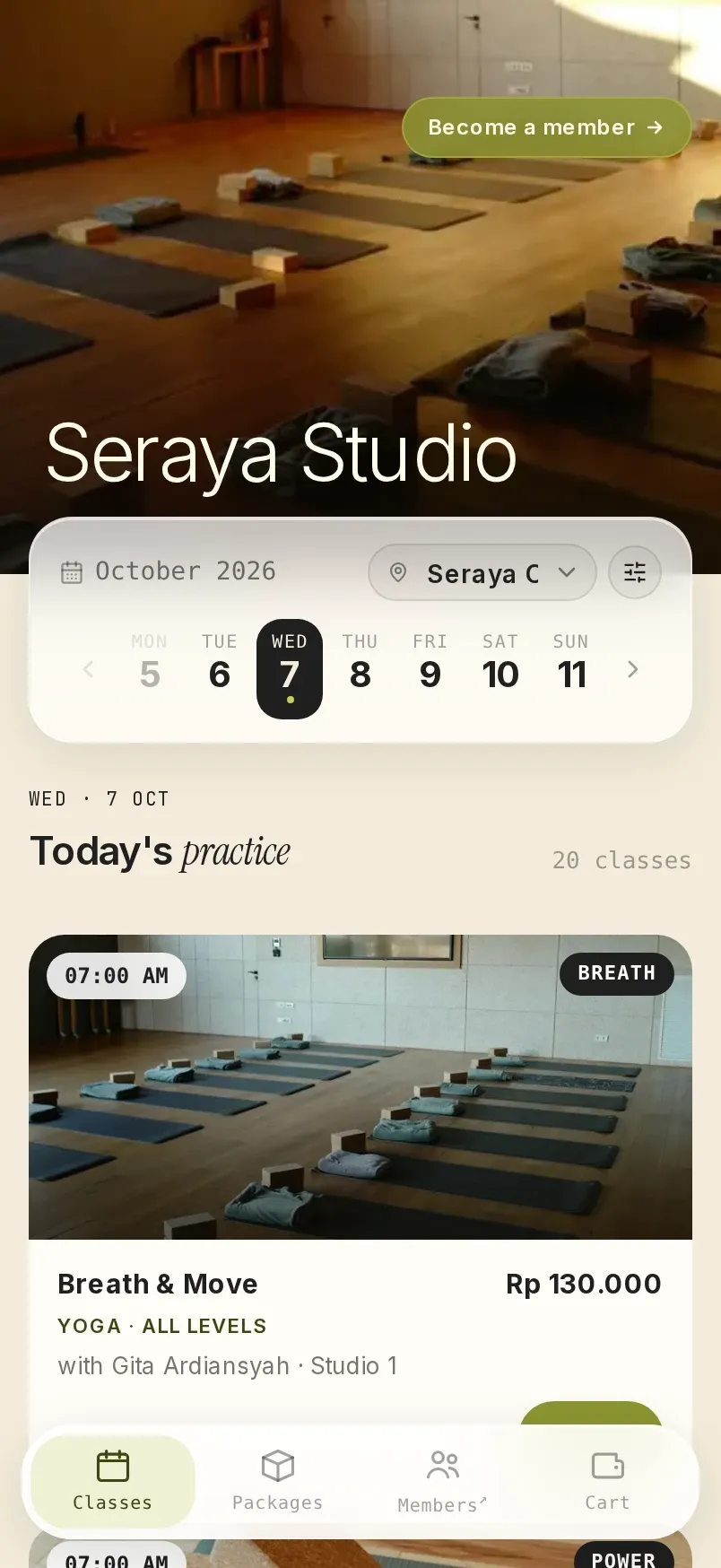
yourstudio.vlora.app
A page that shows only your studio.
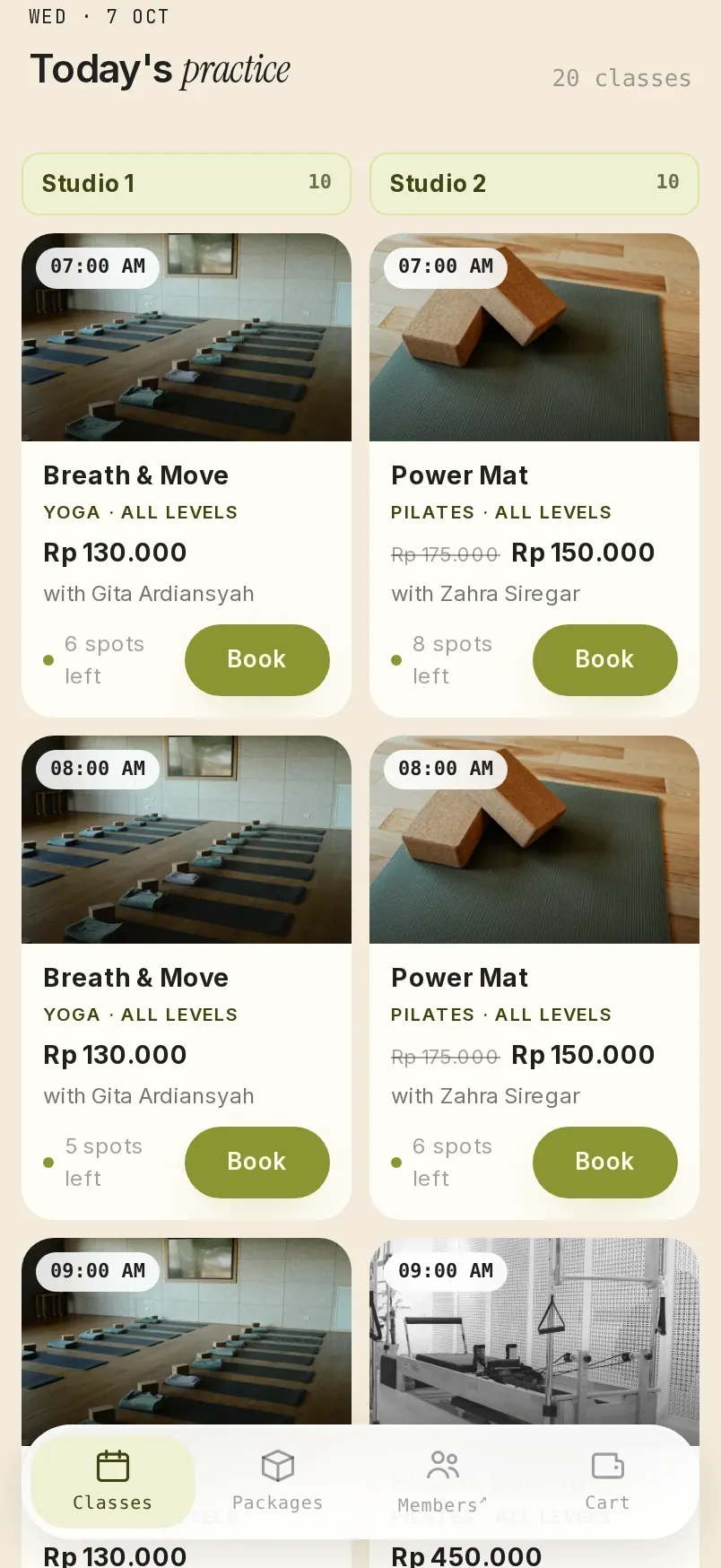
It sits at yourstudio.vlora.app and uses your logo, banner and one of five accent colours. The schedule appears as a list, a grid or one column per room.
One link for your Instagram bio, stories and WhatsApp messages.
Booking page address
yourstudio.vlora.app
Added to
- Instagram bio
- Instagram story
- WhatsApp message
Booking from a phone, in five steps.
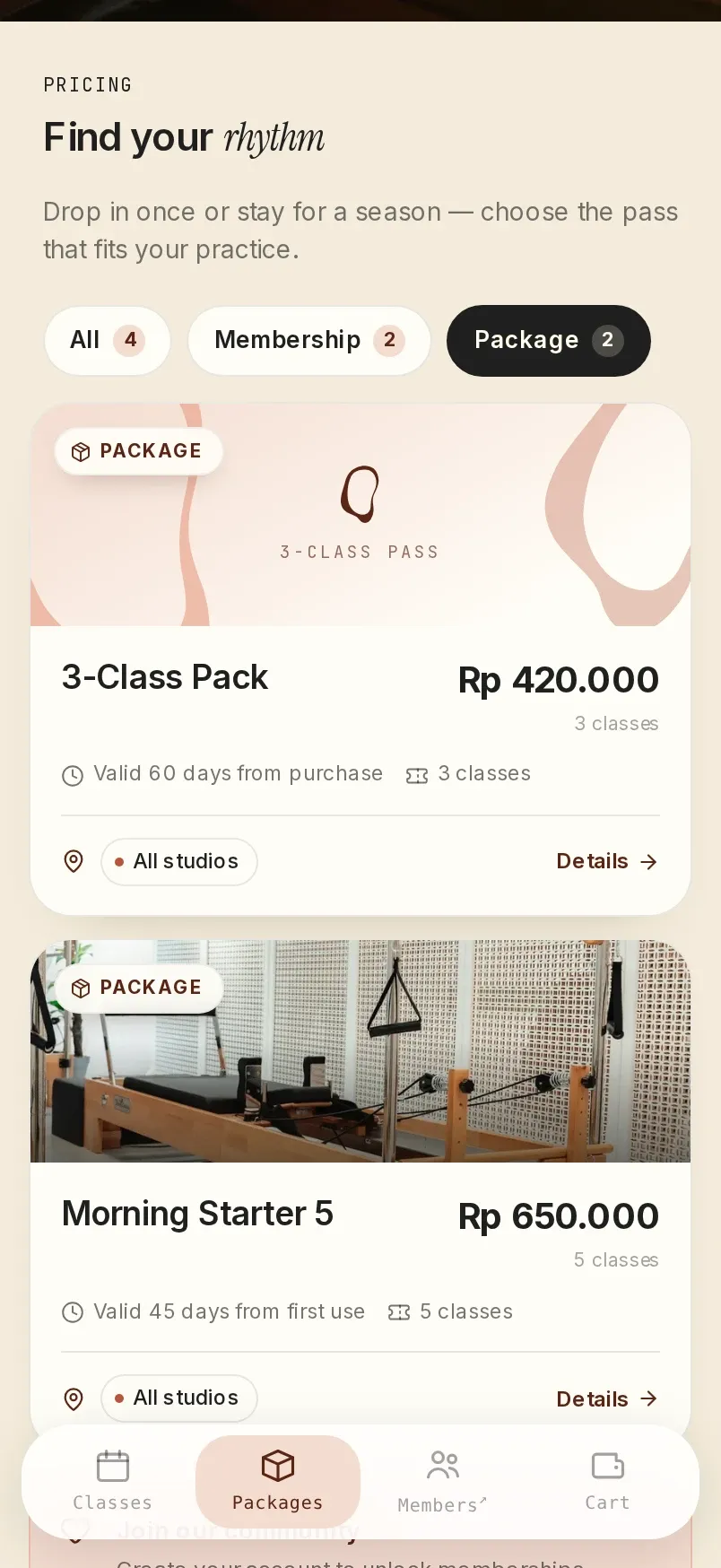
Clients choose a day, filter classes by time, class type or instructor, then put several classes in one cart.
- Open the studio page
- Choose a class
- Checkout
- Choose a payment method
- Confirmation
Travellers book and pay without creating an account.
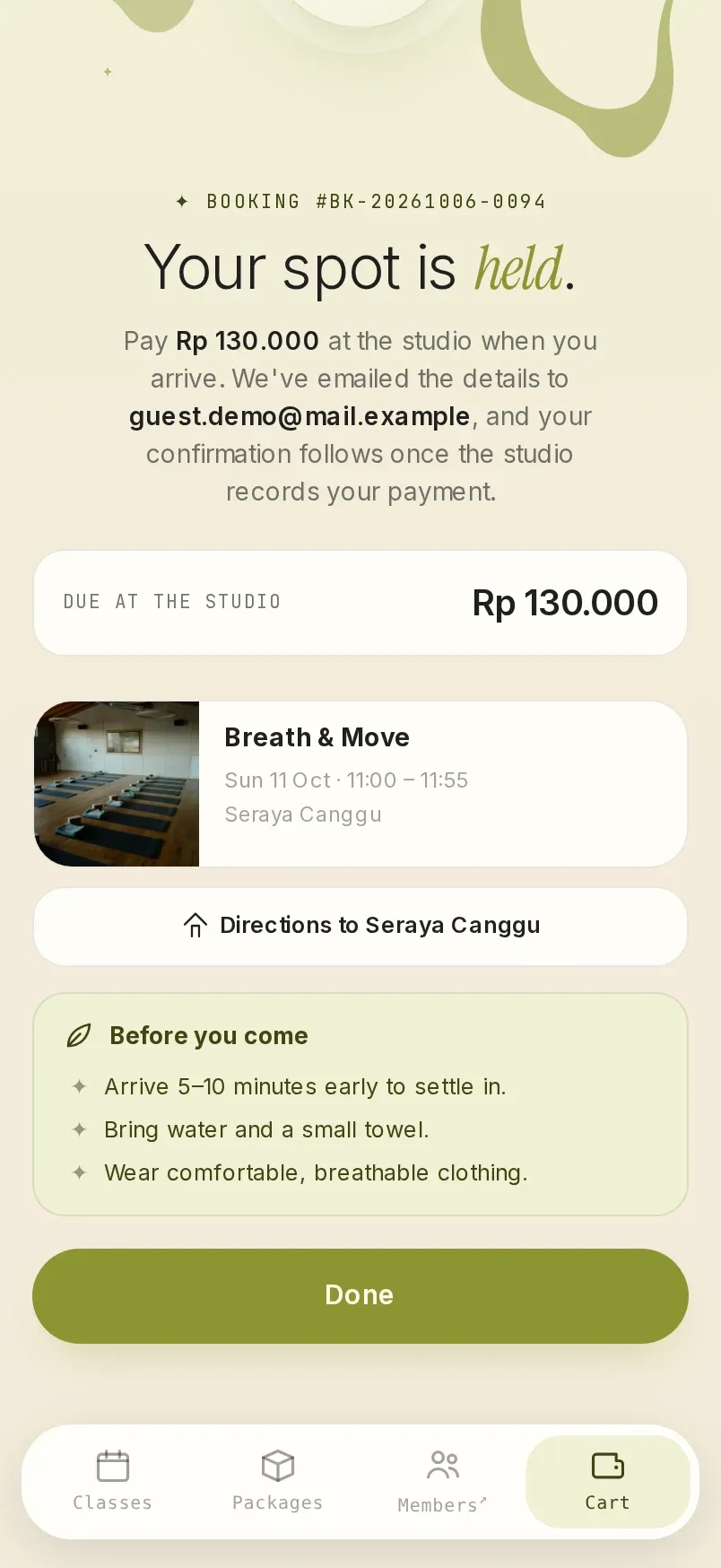
New clients can also book straight away as guests. The confirmation and PDF receipt go to the email address they enter.
If you turn on paying at the studio, their seat is held until they arrive.
A member area for clients who come every week.
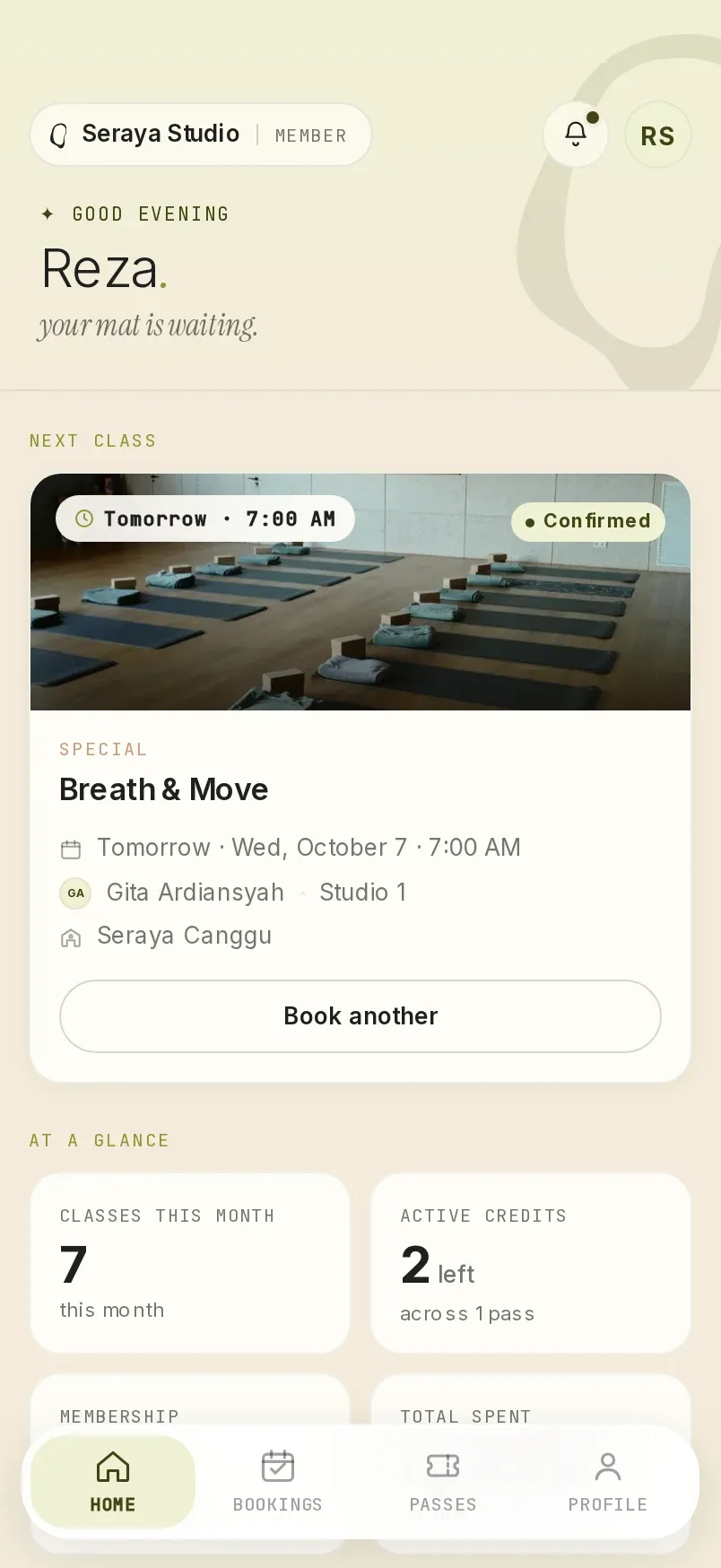
- Members see their upcoming classes, what is left on their class packs, and when they expire.
- Members reschedule their own classes, within the studio's reschedule rules.
- Their schedule can be connected to Google Calendar or Apple Calendar.
- One Vlora account works at every studio they are registered with.
Confirmation emails, PDF receipts and the studio's own analytics.
Booking confirmations are sent with a PDF receipt and a calendar file, in the studio's colours. Your studio's Google Tag Manager is installed on the booking page, and the Privacy Policy and Terms of Service on that page are the studio's own.
Questions about the booking page.
Does the booking page show other studios?
No. The booking page shows only your studio.
Can the booking link go on Instagram?
Yes. Your studio's address can be added to your bio, your stories and WhatsApp messages.
Does the booking page use my studio's colours?
Yes. There are five accent colours to choose from, plus your logo and banner.
See the booking page from your clients' side.
Tell us about your classes, locations and studio rules on WhatsApp. We'll prepare a 30-minute demo with those rules, at a time you choose.
One subscription fee, every feature, no setup fee. See pricing
This site covers only some of Vlora's features. In the demo, you can ask about anything it leaves out. See all features
Send the message, and we usually reply within one working day.
If you would rather write first, email [email protected] or message us on WhatsApp.