QRIS and Virtual Account payments on your studio's booking page.
Clients pay the way they already pay every day. Online payments go to your studio's own payment account, and every rupiah is recorded in the finance report.
BCA · Mandiri · BNI · BRI · CIMB Niaga · Permata · BSI · Danamon · Maybank · Bank Neo Commerce · Sahabat Sampoerna · Artha Graha
The seat is held while the client pays, and released if they do not.
If the time limit passes, the booking is cancelled and the seat goes back on the schedule, ready for another client to book.
A booking comes in
The seat comes off the class straight away, so two people never get the same last seat.
The payment time limit is running
The client pays by QRIS or Virtual Account from their phone.
The time limit passes
The booking is cancelled, and the seat goes back on the schedule.
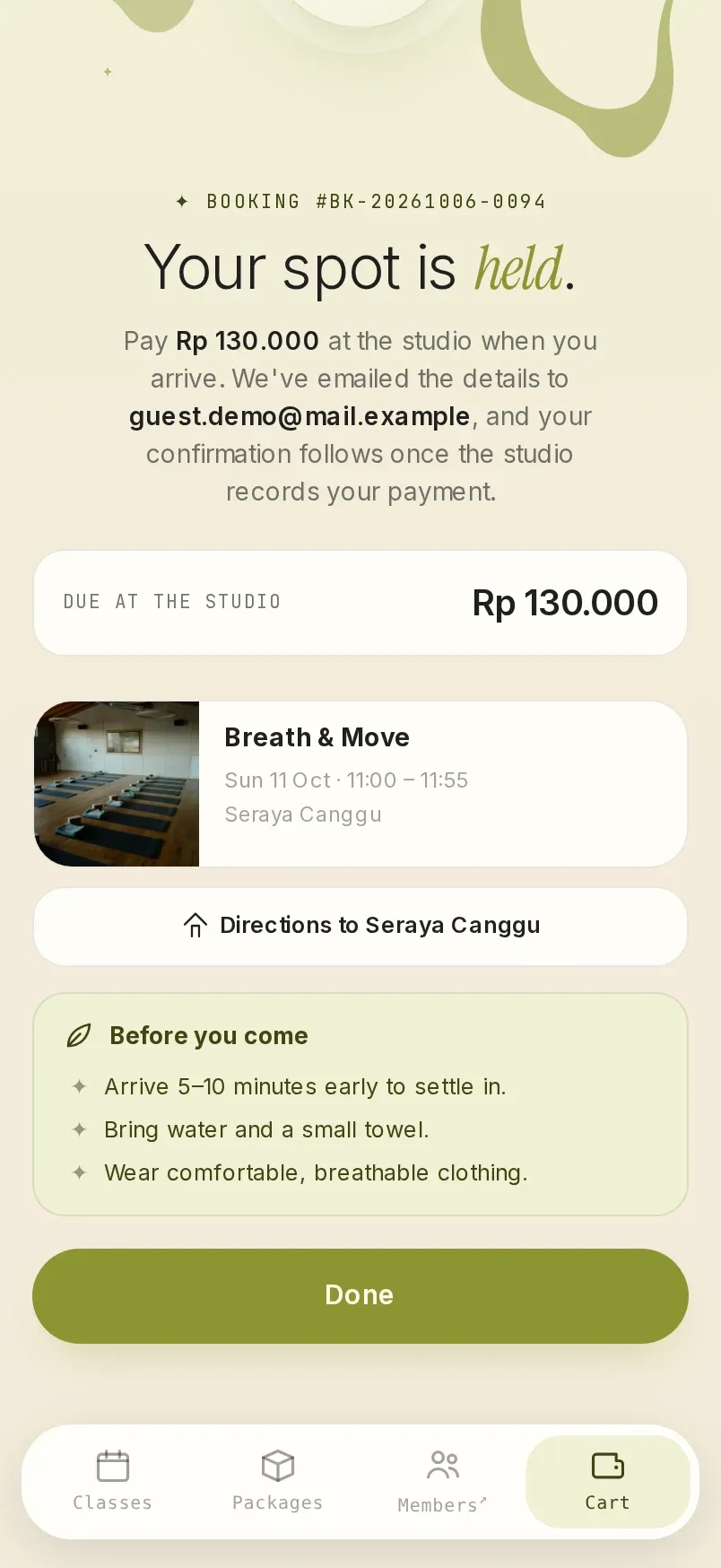
Guests, walk-ins and payments at the front desk.
Travellers book and pay for classes without creating an account. Clients who walk in can pay at the studio, if you turn that option on.
The front desk records how each booking is paid: cash, class pack, membership, voucher or a free class. It all goes into the same report.
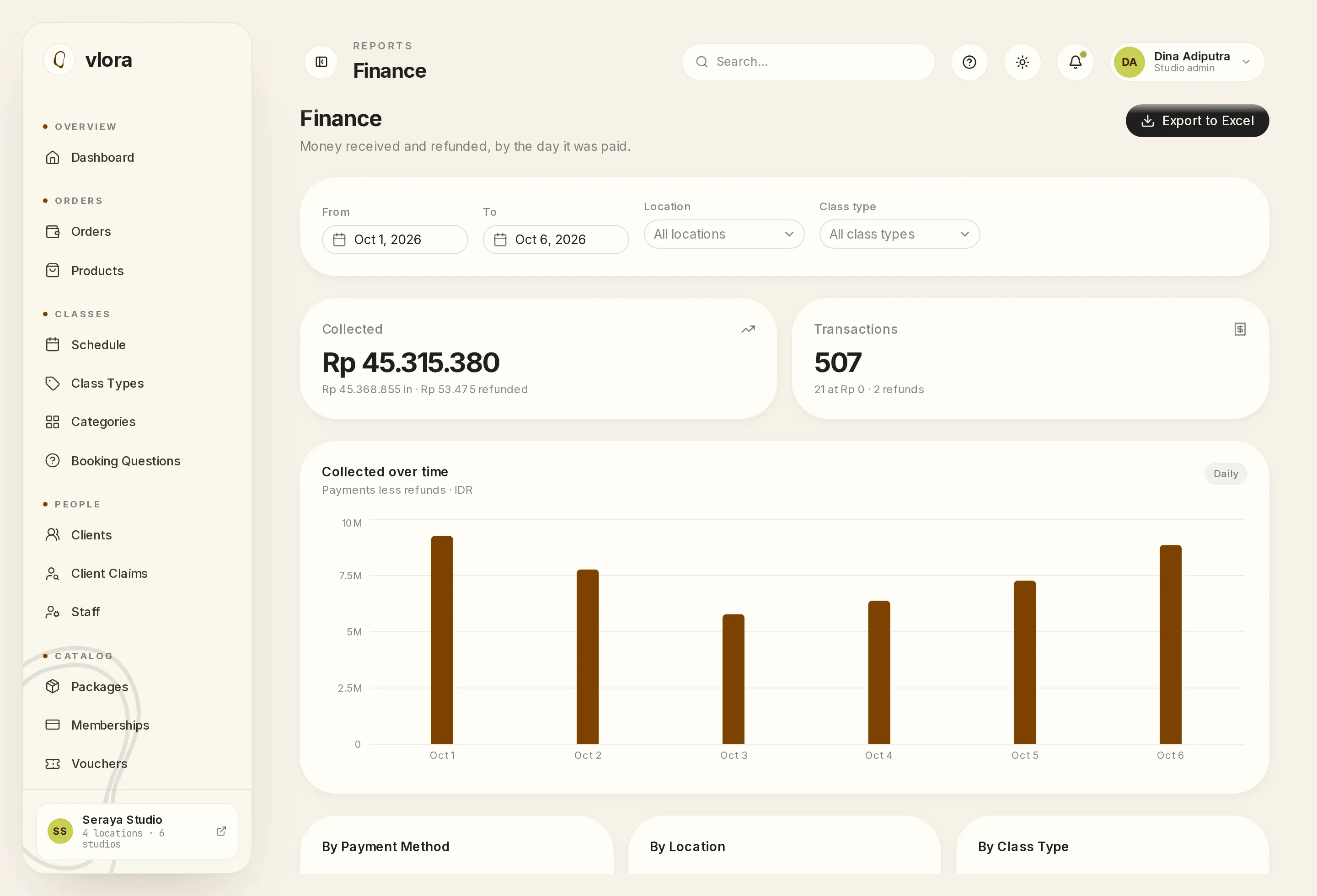
Money you can reconcile.
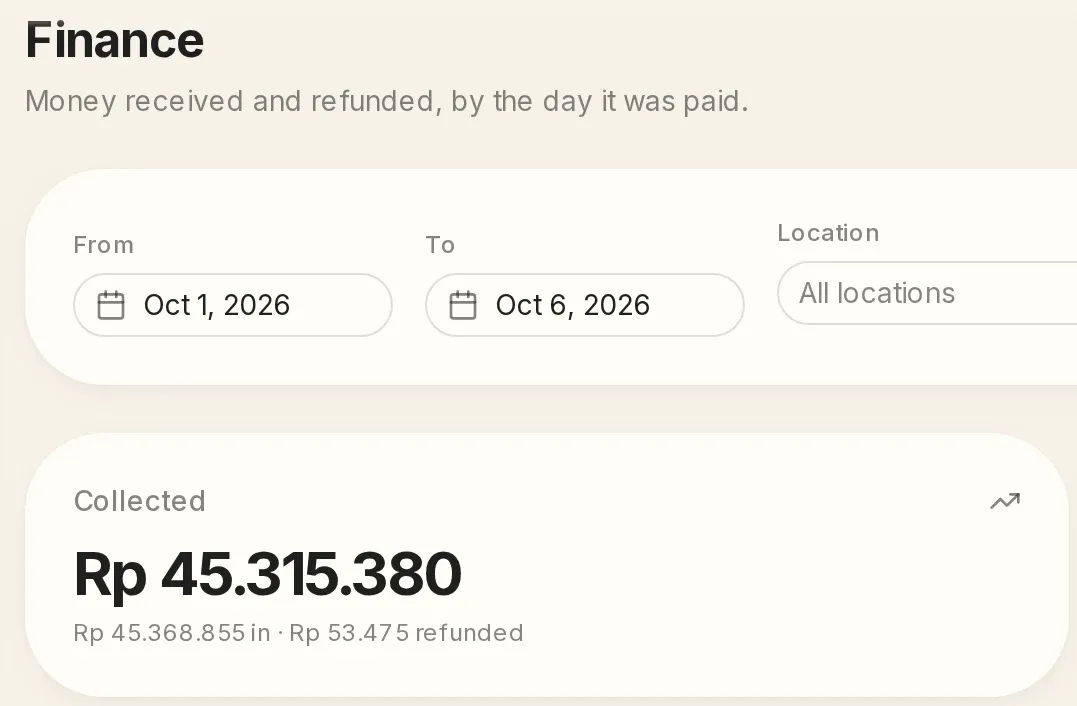
The finance report records a payment on the day the money comes in, and a refund on the day the money goes back. The Excel export includes each transaction's reference number. The confirmation email carries a PDF receipt showing the price and promotion as they stood when the booking was made.
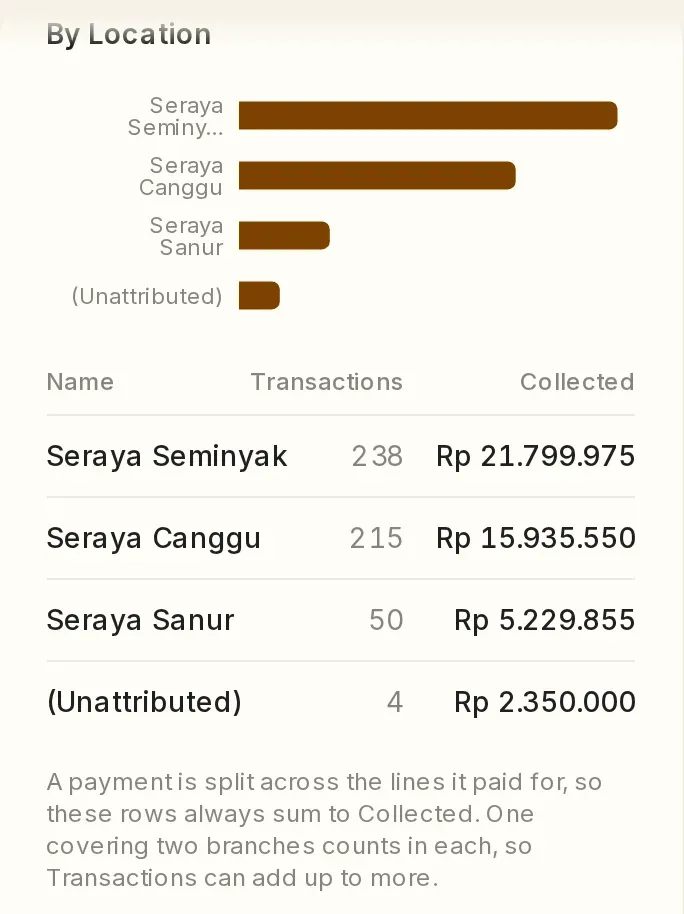
Revenue by branch.
Each location can take payments into its own payment account, and the finance report can be split by location.
Questions about payments.
Where does the money from online payments go?
Straight to your studio's own payment account. Each location can also use its own payment account.
Can clients pay at the studio?
Yes, if you turn on paying at the studio. The seat is held until the client arrives, and the front desk records the payment.
Can the reports be exported?
Yes. The finance report exports to Excel, with the reference number of every transaction.
Do guests get a receipt?
Yes. A PDF receipt is sent with the booking confirmation email.
See your studio's checkout from a client's phone.
A 30-minute demo with your own classes, prices and payment methods, at a time you choose.
One subscription fee, every feature, no setup fee. See pricing
This site covers only some of Vlora's features. In the demo, you can ask about anything it leaves out. See all features
Send the message, and we usually reply within one working day.
If you would rather write first, email [email protected] or message us on WhatsApp.