How to take class bookings on Instagram, without the DMs
How pilates and yoga studios in Bali and Jakarta move bookings from Instagram DMs and WhatsApp to a booking link: data from 28 studios, DM reply templates and a four-week plan.
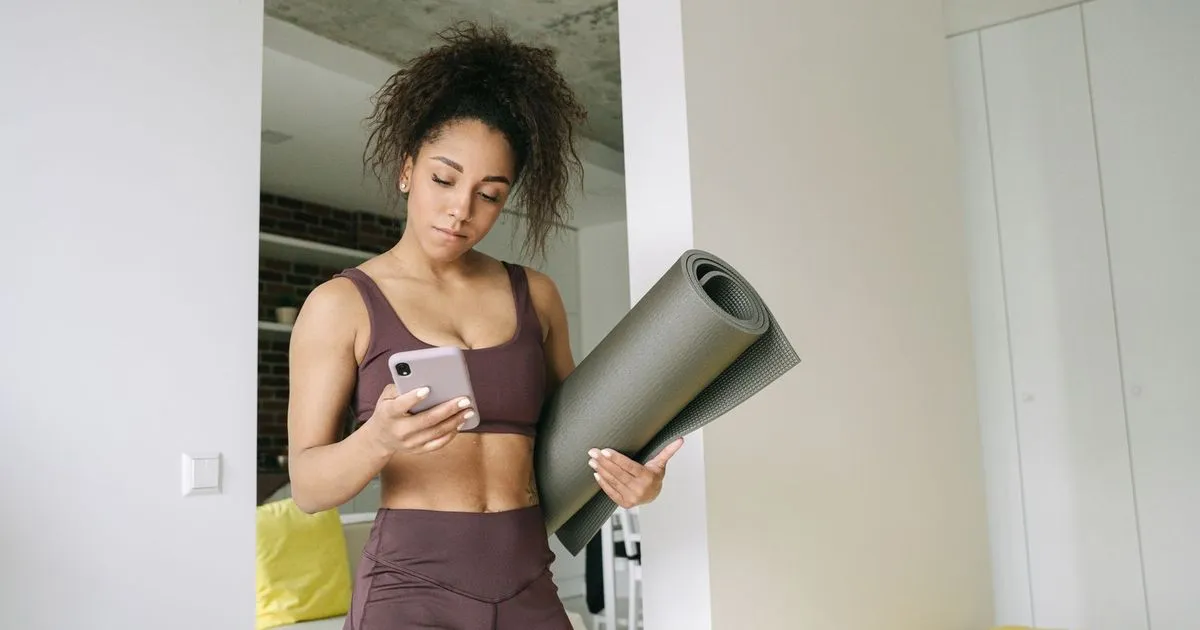
It is 9:40 on a Sunday night when a message lands in your studio’s Instagram inbox: “Hi, any spots left for the 7am reformer tomorrow?” Your front desk opens it at 6:50 on Monday. The class starts in ten minutes, and the last reformer went to someone who messaged on WhatsApp the night before. The traveller who sent the DM books somewhere else, and you never hear from her again.
Instagram is where many people first find a pilates or yoga studio, especially in Bali, where visitors scroll local accounts from their villa or before they even land. The trouble starts when Instagram also becomes the schedule. A DM does not know how many spots are left, it cannot hold a spot while someone pays, and it only works while someone is awake to answer it.
This article covers how to move bookings out of the DMs without making regulars feel turned away: how 28 studios in Indonesia take bookings from Instagram, what should stay in chat, five places to put your booking link on Instagram, DM replies you can copy, and a four-week plan for the switch.
How 28 studios take bookings from Instagram
On 17 November 2026 we read the bios and public post text of 28 pilates and yoga studio accounts in Jakarta, Bali, Surabaya and Batam, and noted the booking route each one names. We do not name the studios.
| Booking route named | Studios |
|---|---|
| Chat only: Instagram DM, WhatsApp or phone | 11 |
| Mixed: a booking link plus chat | 10 |
| Booking link or app only | 7 |
A few patterns stand out:
- WhatsApp is still the default. 19 of the 28 studios name WhatsApp as a way to book, including 9 of the 10 that already have a booking link.
- Private sessions stay in chat. Two reformer studios in Bali take group bookings through a link but ask private clients to DM or WhatsApp them.
- Mixed messages. Some studios write “book via link in bio” on one post and “DM us to book” on the next. Clients will pick whichever feels more personal, and that is usually the DM.
- One studio announced a full switch. A reformer studio in Jakarta posted a carousel showing how to book on its website, then said all class bookings had moved there.
The sample comes from search results rather than a random draw, and a bio does not always list every route a studio uses. Read it as a picture of the market: plenty of studios still book through chat, and even those with a link rarely close the chat completely.
Why DM bookings work, until they don’t
Booking by DM feels warm. Your front desk greets people by name and clients feel looked after. A studio with one or two classes a day and thirty regulars can run like this for a long time.
It starts to crack in four places:
- Reply lag. Many people plan tomorrow’s class at night, outside front desk hours. Visitors in Bali may message from another time zone before they fly. Every hour without a reply is an hour to change their mind.
- Two schedules. Instagram DMs and WhatsApp are two inboxes. If each one is written down somewhere different, two clients can both believe they booked the last reformer.
- Payments checked one by one. Transfer receipts and QRIS screenshots have to be matched against the bank statement. The difference between a static QRIS code and QRIS at checkout is in QRIS payments for yoga and pilates studios in Bali.
- Credits in someone’s head. A member asks “how many classes do I have left?” by DM, and someone has to look it up.
We put a number on the staff hours behind manual booking in the cost to open a pilates studio in Indonesia. This article is about getting out of that pattern.
What should stay in chat
Moving to a booking link does not mean closing your DMs. What moves is the repetitive work: picking a time, checking spots, paying. Conversations that need a person stay in chat.
Move these to the link:
- Regular group class bookings, from new clients and members alike.
- Class pack and intro offer purchases.
- Reschedules that fall within your rules.
Keep these in chat:
- Private sessions, because the time and instructor are agreed first.
- New clients with an injury, a pregnancy or a medical condition, who need a few questions before they choose a class.
- Group bookings for a retreat, a hen party or a company outing.
- Complaints and exceptions, such as a client who got sick and asks for an extension.
Say this in your bio, for example: “Group classes: book via link. Privates and questions: WhatsApp.” One line like that cuts the DMs that only ask how to book.
Five places to put your booking link on Instagram
1. The link in your bio
Since April 2023 every Instagram account can add up to five links to its bio, through Edit profile, then Links, then Add external link. Put the booking link first and give it a plain title such as “Book a class”. Price list and location links can follow.
If you use a link-in-bio page, put the booking link at the top. Every extra page is one more tap before a client sees your schedule.
2. The link sticker in stories
Instagram opened the link sticker to all accounts in October 2021. Use it on your weekly schedule story and on stories about a specific class, such as “Saturday 8am, two spots left”. Save a how-to-book story to a highlight called “Book”, so new visitors find it without asking.
3. The Book now action button
Instagram business accounts can show an action button such as Book now on their profile. According to the Instagram Help Center, the button only connects to a limited set of partner providers, you need an account with one of them, and the feature is being introduced gradually, so it may not appear on your account. For most studios the link in bio stays the main route.
4. Captions and posts
Links typed into a caption cannot be tapped. Write “link in bio” in the caption and mention a short, readable booking address. An address like yourstudio.vlora.app is easier to remember than a long link full of random characters.
5. Replies in your DMs
Business and creator accounts have two built-in tools. Saved replies store a message under a keyboard shortcut: your front desk types the shortcut and the full reply, link included, fills in. Frequently asked questions shows up to four questions when someone starts a message to your account, each with an automated answer if you write one.
The four questions that help a studio most:
- How do I book a class?
- How much are classes and packs?
- I’m new to pilates. Which class should I take?
- Where is the studio?
The answers to the first two include the booking link. The third is better answered by a person, because that is where new clients mention injuries or worries.
DM replies you can copy
Save these as saved replies, then change the class, time and address to your own.
Someone asks about a spot
Hi [name], the [Reformer] class tomorrow at [7am] has [2] spots left. You can book one at [yourstudio.vlora.app], no account needed, and pay by card or QRIS. Your confirmation arrives by email.
Someone asks about prices
Hi [name], all class and pack prices are at [link]. If it’s your first time with us, there’s an [intro offer of 3 classes] on the same page.
A new client who has never done a class
Hi [name], thanks for reaching out. Is there any injury or condition your instructor should know about? Tell us a little and we’ll suggest the right class, then you can book it at [link].
A regular who still books by DM
Done, you’re booked for [Wednesday 6pm]. Next time you can book straight from [link], where you can also see how many classes you have left and when they expire.
Someone asks about a private session
Hi [name], for privates we first match you with an instructor’s schedule. Which days and times usually work for you?
If people ask about a first-visit deal, the terms that protect your prices are in pilates and yoga intro offers in Bali.
A four-week plan for the switch
One rule applies from day one: every booking goes into one schedule, including the ones that arrive by DM. When your front desk takes a booking in chat, they enter it in the same system as your booking page. The moment there are two lists, a double booking is only a matter of time.
Week 1: prepare
- Load the next two weeks of classes, with the right capacity for each.
- Make prices and pack terms match on the booking page, on Instagram and in your saved replies.
- Book a class yourself from your phone as a new client, all the way through payment. Ask a friend who has never been to the studio to do the same, and watch where they hesitate.
- Start counting how many booking DMs and chats arrive each day. That number is your baseline.
Week 2: announce
- Put the booking link first in your bio and update the bio text.
- Post a “how to book” carousel with four or five screenshots: open the link, pick a class, check out, pay, get the confirmation. Pin it to your profile.
- Add the link sticker to your schedule story every day for a week.
- Message active members on WhatsApp: the date bookings move to the link, and where they can see their remaining classes.
Week 3: redirect
- Answer every booking DM with a saved reply and the link.
- Clients who still ask you to book for them get booked. Then send them the link for next time.
- Note the questions that keep coming up. They usually point to something unclear on the booking page, such as class levels or how packs work.
Week 4: settle
- Group classes are booked through the link. DMs are for questions, privates and exceptions.
- Compare with week one: booking DMs per day, bookings made outside front desk hours, and bookings your staff still enter by hand.
Avoid posting “we no longer take bookings by DM”. Regulars who are used to chatting usually switch on their own after receiving the same link two or three times. The only thing you need to protect is a single schedule.
Clients who still prefer chat
Some clients will always prefer to chat: long-time members, people who rarely open email, or those who simply enjoy talking to your front desk. You do not need to push them. What changes is how your staff work: their bookings go into the same schedule, never into a notebook or a separate spreadsheet.
Keep the same payment and cancellation terms on every channel, so a client who books by chat reads the same rules as one who books through the link. Wording you can adapt is in the pilates studio cancellation policy template.
Running this in Vlora
In Vlora, your studio gets its own online booking page at yourstudio.vlora.app, with your logo, banner and one of five accent colours. That one link goes in your Instagram bio, your story link stickers and your WhatsApp messages.
- A schedule with spots left. Clients see the slots left in each class, filter by time, class type or instructor, and can put several classes in one cart.
- Guest checkout. A visitor who finds you on Instagram books and pays without creating an account. The confirmation and a PDF receipt go to the email they enter.
- The spot is held while they pay. Clients pay by QRIS, Virtual Account, e-wallet or card, and the spot is held while the payment goes through. If time runs out, the spot goes back to the class.
- A member area. Members see their upcoming classes, the classes left on their pack and when it expires, and reschedule within your studio’s rules. “How many classes do I have left?” stops arriving by DM.
- Front desk bookings. For clients who keep chatting, your front desk books registered clients and walk-ins from the dashboard and records how each booking is paid on the same order. The order can also be created with a payment link to send to the client on WhatsApp, with the spot held until it is paid.
- Private sessions are set up as sessions with a capacity of one person and their own price, so they sit in the same schedule.
- Your own analytics. Your studio’s Google Tag Manager runs on the booking page, so visits from Instagram show up in your own analytics.
To see the flow from a client’s side, book a 30-minute demo from the pricing page.
Frequently asked questions
How do I add a booking link to my Instagram bio?
Go to your profile, tap Edit profile, then Links, then Add external link. Paste your booking page address and title it “Book a class”. Every account can add up to five links, so put the booking link first.
Why doesn’t the Book now button show on my Instagram profile?
Action buttons are only for business accounts, only connect to Instagram’s partner providers, and are still being introduced gradually. If the button does not appear, the link in your bio and the link sticker in stories are enough to get clients to your booking page.
Can people tap a link in an Instagram caption?
No. Write “link in bio” in the caption and mention a short booking address that is easy to type.
Should a studio stop taking bookings by DM?
Not entirely. Reply to booking DMs with the link, keep booking the clients who ask you to, and make sure every booking lands in the same schedule. Private sessions and questions from new clients are better handled in chat anyway.
Sources for Instagram features: the Instagram Help Center (action buttons, link stickers, saved replies, frequently asked questions), Instagram’s announcement opening link stickers to all accounts (27 October 2021) and TechCrunch’s report on five links in bio (18 April 2023), checked 17 November 2026. Instagram features can change at any time.